 HubShots
Episode 271: The Lazy Salespersons’ Cheat Sheet to using HubSpot
In this episode, we dive into the lazy salespersons’ cheat sheet to using HubSpot, HubSpot translated forms, surveys and many more!


Back in Episode 271, we shared our “Lazy Salesperson's Cheat Sheet - tips for salespeople to work smarter using HubSpot's built-in tools”. Three years later, HubSpot has transformed with AI-powered features that take sales to a whole new level. In this episode, we dive into how AI can now do the heavy lifting that used to require discipline and manual effort.
This edition, we dive into:
How to consume HubShots:
Did a colleague forward this episode to you? Sign up here to get yours every Friday.
Recommended Resources:
Listen on Spotify:
Recorded: Wednesday 04 March 2026 | Published: Friday 06 March 2026
In 2022, being a “lazy“ salesperson meant using the tools HubSpot gave you - snippets, templates, sequences, task queues. It still required discipline to set things up and follow through.
In 2026, being “lazy“ means being smart with AI. The Prospecting Agent will research your leads, write personalised emails, and send them on your behalf. Guided Actions tell you exactly what to do next. Predictive scoring tells you which deals to focus on.
The question for sales teams is no longer “are you using the tools?“ - it's “are you letting AI work for you?“
The companies that win won't be the ones with the most AI tools. They will have the smartest hybrid teams where AI doesn't replace people but multiplies their impact.
What's the right balance between AI automation and human touch? When should reps override the AI's suggestions?
We see two main types of sales teams:
The difference in effectiveness between these two is growing. Advanced users are orders of magnitude more productive.
Willingness to embrace new tools, constant learning, and a collaborative team attitude are the green flags of advanced teams.
Here are some notable changes since Episode 271:
From INBOUND 2025:
From January 2026:
Pricing/Licensing Updates:
This is the headline addition since Episode 271. Sales Workspace is a unified home for sales reps that brings together everything we covered in the original episode into one place.
Navigate to: Sales > Sales Workspace - pro tip, you should bookmark this!
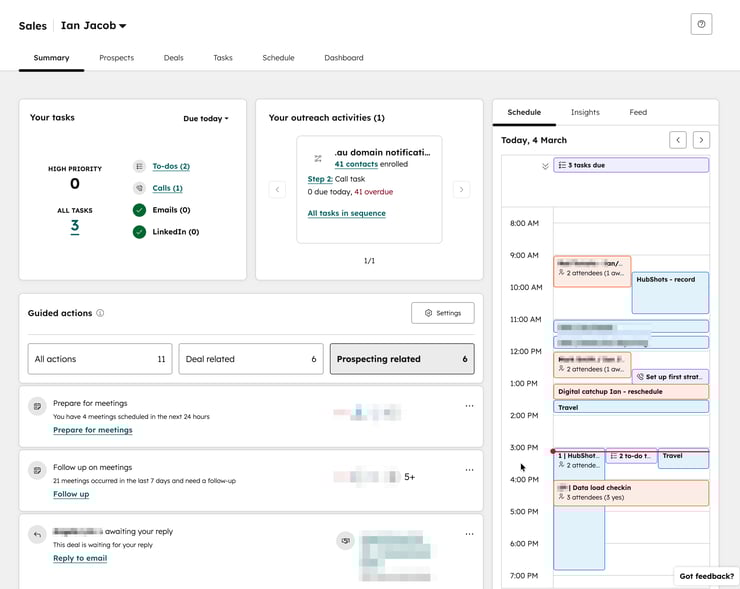
Key Components:
Tip: Encourage your sales team to make Sales Workspace their home screen in HubSpot. They should live here, not bounce between Contacts, Deals and Tasks.
This is the big unlock for “lazy“ salespeople. The Prospecting Agent is essentially an AI-powered business development rep that works 24/7.
What It Does:
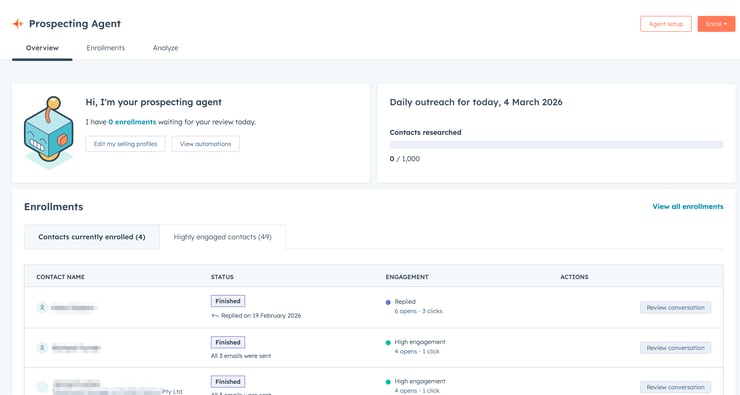
Key Limits and Settings:
Tip: We recommend that you always review before going to full automation. Also, start with a maximum of 10 enrollments a day to test and see how everything works.
Setting Up Selling Profiles:
Pro Tip: Set up specific selling profiles to control your agent's approach for different audiences, products, and sales streams.
Please note: Prospecting Agent is included in Sales Hub Professional and Enterprise but consumes HubSpot Credits. Understand your credits, so you have a plan for how they are consumed. Be it an upgrade or a pay-as-you-go option.
Prospecting Agent isn’t just for sales teams - in a future episode we’ll discuss use cases for other teams.
You could probably rename Prospecting Agent to be called Engagement Agent…
In Episode 271, we talked about using Meetings to let prospects book time with you. That's still there, but now there's AI assistance built around it.
Before the Meeting:
After the Meeting:
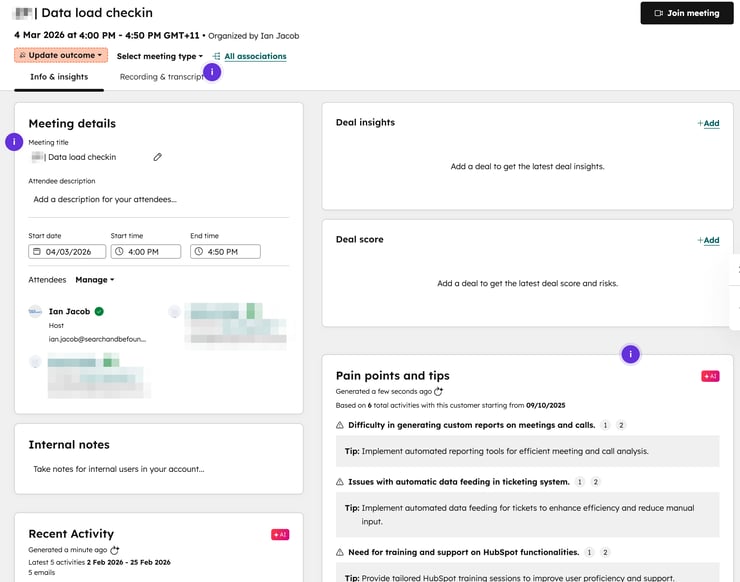
Smart tip: Let the AI handle meeting notes so you can focus on the conversation, not typing.
In beta, you can summarise in-person meetings with the in-person meeting notetaker for iOS. Well worth testing if you want to take notes but not record the meeting.
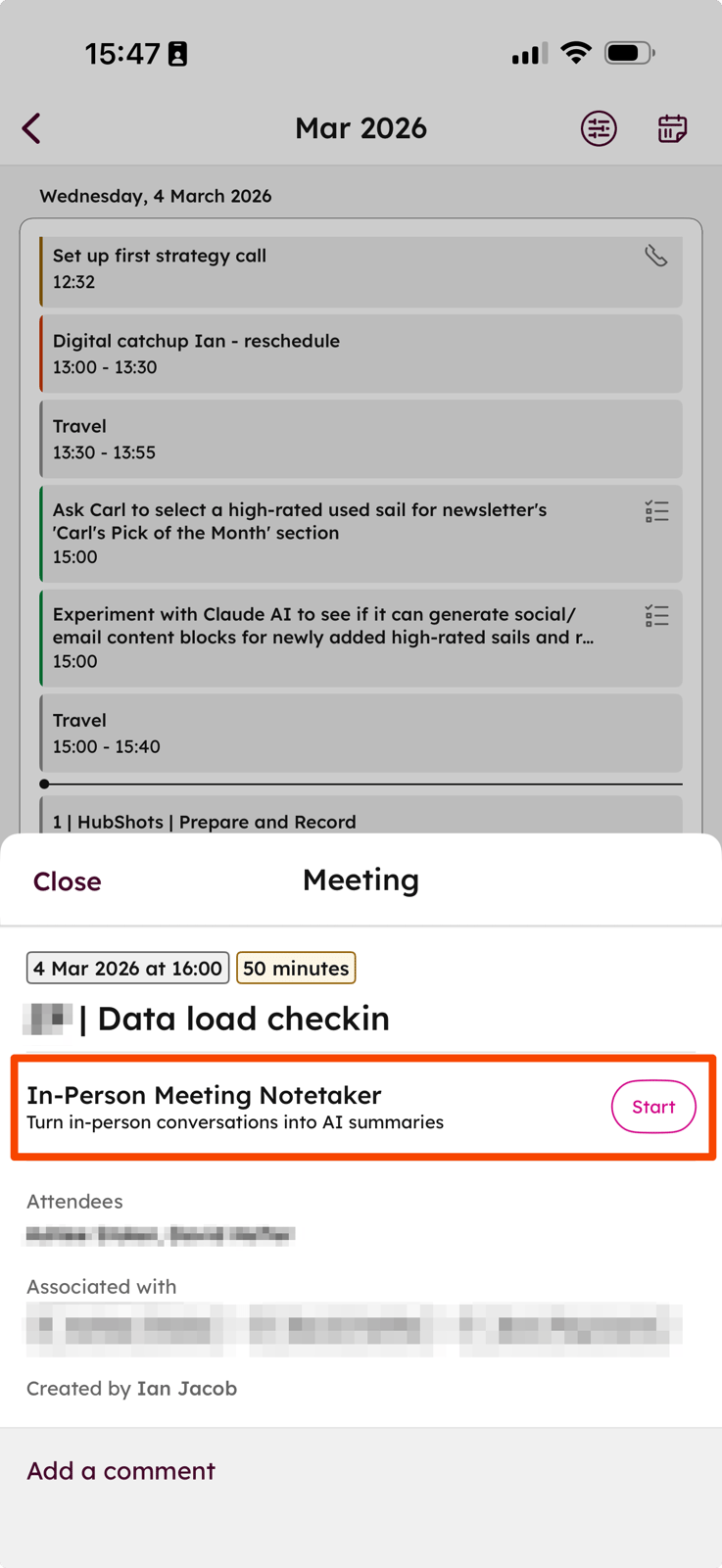
Smart Deal Progression (in beta) builds on this by turning conversation insights into CRM updates and integrated post-meeting workflows. For example, you’ll receive an email after the meeting with a summary and suggested next steps.
Features:
Intent Signals:
Example: If three people from the same company visit your solutions page in a week, the account is flagged as “in-market“.
What You Can Do:
Find it in the HubSpot App Marketplace > LinkedIn CRM Sync
Note this requires a LinkedIn Sales Navigator Advanced Plus plan with 10+ seats
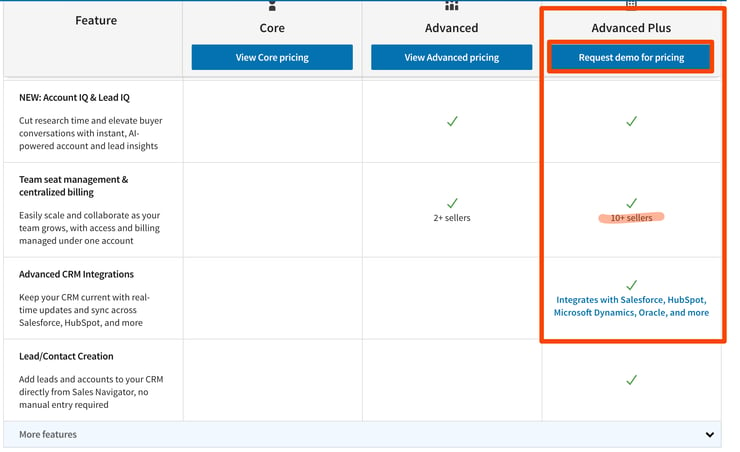
Other options: HubLead.io if you do not want to purchase 10 LinkedIn licences.
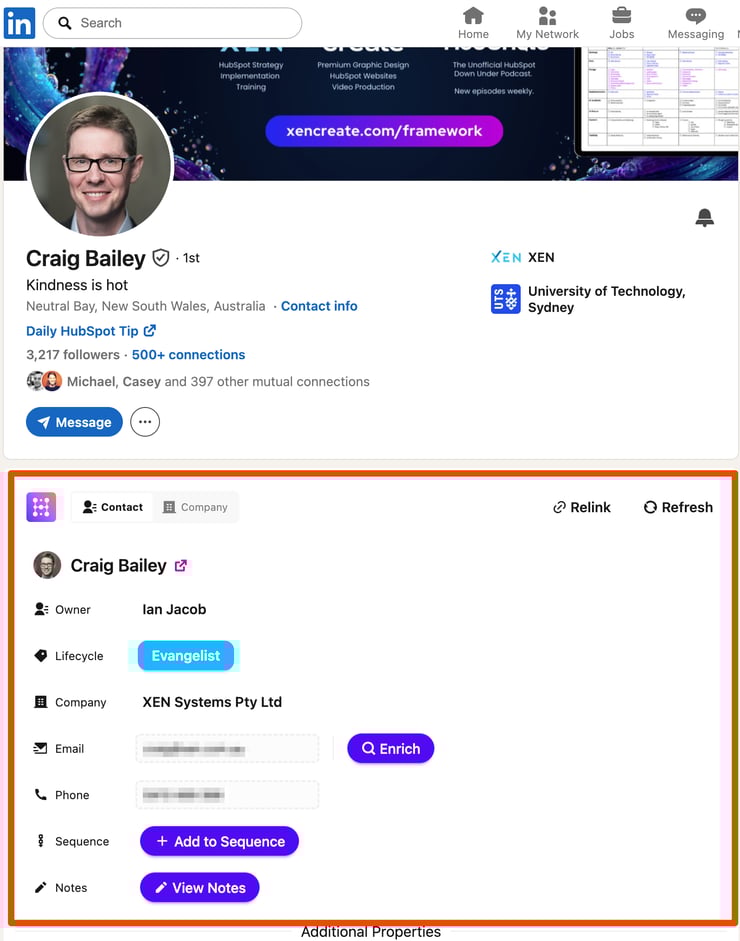
Here's how the original “Lazy Salesperson“ features have evolved into the Smart Salesperson toolkit:
|
Original Feature |
2022 Approach |
2026 AI Approach |
|
Meetings |
Let prospects book time |
+ AI prep briefs, during-meeting insights, post-meeting summaries |
|
Tasks |
Manage manually in lists |
Guided Actions prioritise automatically |
|
Task Queues |
Shared queues for teams |
Built into Sales Workspace |
|
Revisit Notifications |
Email when contacts return |
Intent signals + auto-tracking rules |
|
Templates |
Pre-written emails with tokens |
AI generates personalised emails from CRM context |
|
Sequences |
Manual enrollment, auto follow-up |
Prospecting Agent automates enrollment & outreach |
|
Reporting |
Dashboards, scheduled emails |
+ Predictive scoring, Deal Risk, Goal Progress |
|
Prospecting |
Manual research and outreach |
Prospecting Agent researches and sends for you |
|
Quotes |
Manual creation in HubSpot |
AI CPQ drafts from conversation context + Closing Agent |
Pro Tip: In HubSpot, use the Assistant to review your best clients and check whether your Ideal Client Profiles and Personas match what you are looking for. This may be a big eye-opener for you!
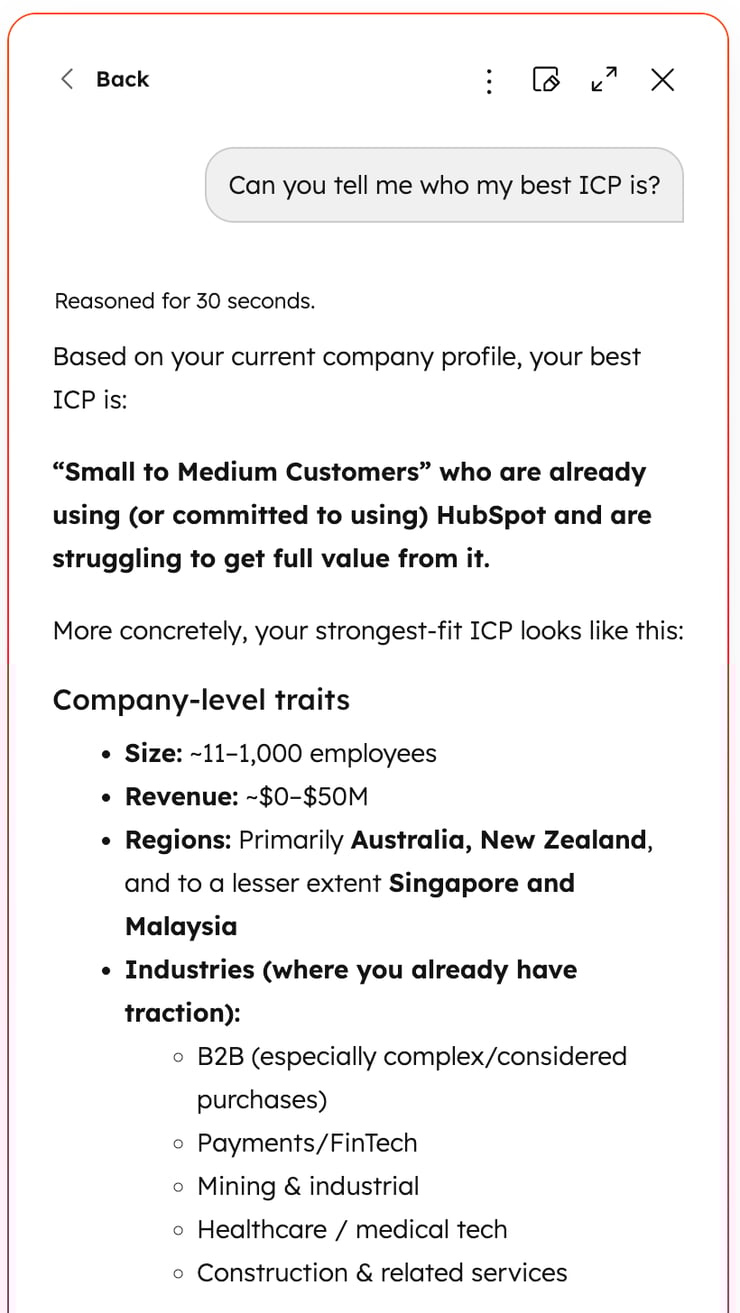
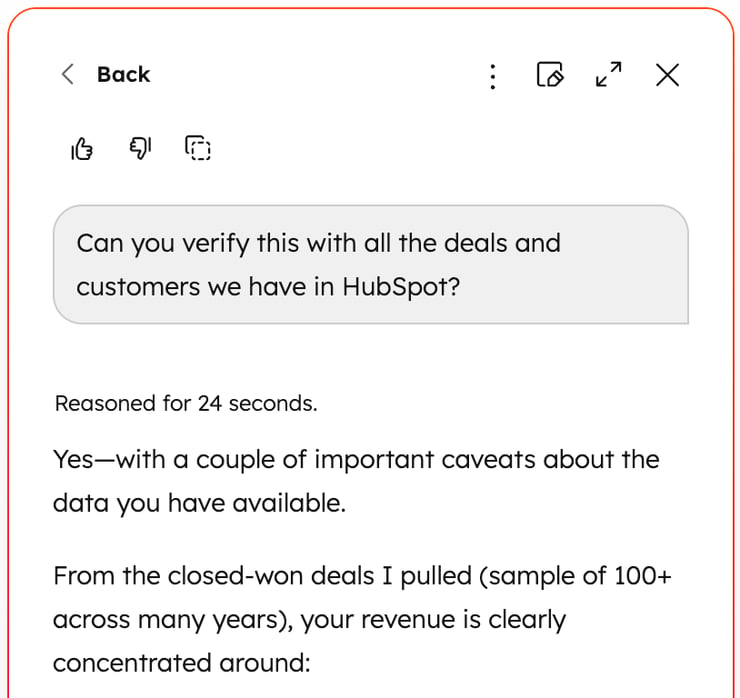
For B2B Clients:
HubSpot Knowledge Base Articles to Review:
“Sales teams operate in two modes: building an understanding of their customer and engaging with them. They all want to spend more time engaging, but get bogged down in research and admin. We built the Sales Workspace to make the research process more productive and offer guided actions. This way, reps can spend more time building relationships and less time summarising them.“
- Michael Walton, Former VP Product and GM of Sales Hub at HubSpot
Would a quick HubSpot related tip in your inbox every day be useful? If so, sign up here.
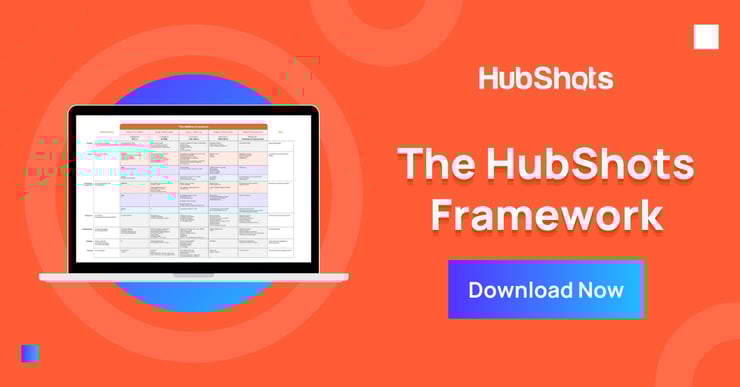
Download a copy of the HubShots Framework A3 PDF poster (recently updated with colour coding and more).
Connect with HubShots here:
Connect with Ian Jacob on LinkedIn and Craig Bailey on LinkedIn plus check out his personal YouTube channel.
HubShots, the podcast for marketing managers and sales professionals who use HubSpot, hosted by Ian Jacob from Search & Be Found and Craig Bailey from XEN and XEN Create.
HubShots is produced by Christopher Mottram from Podcastily.
We record using Riverside.fm (<= affiliate link)
Please share this with colleagues - it helps us improve and reach more marketers.
In this episode, we dive into the lazy salespersons’ cheat sheet to using HubSpot, HubSpot translated forms, surveys and many more!
This episode we dive into the move to consolidation of tech stacks, quick HubSpot improvements to GSuite add-in, custom fonts in marketing emails and...
.png)
In this episode, our 229th we consider how mid-large companies can use the professional features of HubSpot Sales Hub to elevate their growth.