 HubShots
HubShots Episode 314: HubSpot Loop Marketing Explained
In this edition we dive into, INBOUND 2025 Reflections, HubSpot’s Loop Marketing Playbook, what is it, and why, and more!


This edition we dive into:
How to consume HubShots:
Did a colleague forward this episode to you? Sign up here to get yours every Friday.
Recommended Resources:
Listen on Spotify:
Watch on YouTube:
We had fun catching up at GROW 2026 in Sydney. Spent the entire chatting with clients, partners and HubSpot employees.
Aside: UNBOUND is on in September.
What is musical bingo?
Companies are overwhelmed by the number of tools and platforms they use.
One of HubSpot’s differentiation claims has been the ‘all-in-one’ platform approach.
Some customers complain about how ‘expensive’ HubSpot is, but compare it to only a few other platforms they can use to replace parts of HubSpot. The cost of an entire suite of platforms can be surprisingly high, not to mention the switching costs and training required.
Sunk costs (eg salaries of people) are often left out of the comparison, when they should be included as an opportunity cost. Eg save $10K on annual HubSpot subscription by moving to another platform, but spend $30K in staff time managing the process.
Ensuring fit with HubSpot is the key.
Just using it as a marketing email broadcast tool isn’t a good fit (ROI)…
BTW we deliberately haven’t mentioned AI.
Here’s a few quick items of interest we noticed:
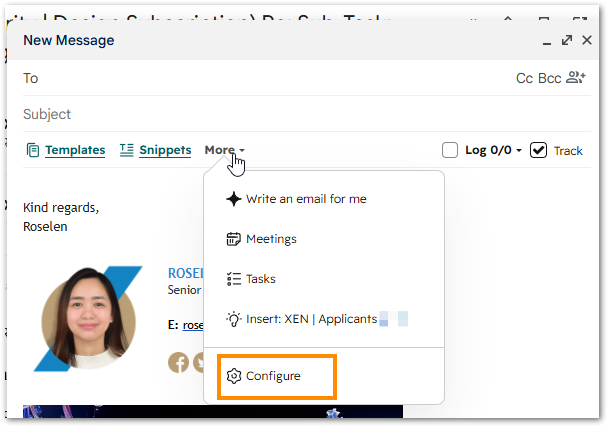
It’s the little things… like being able to configure your toolbar in Gmail:
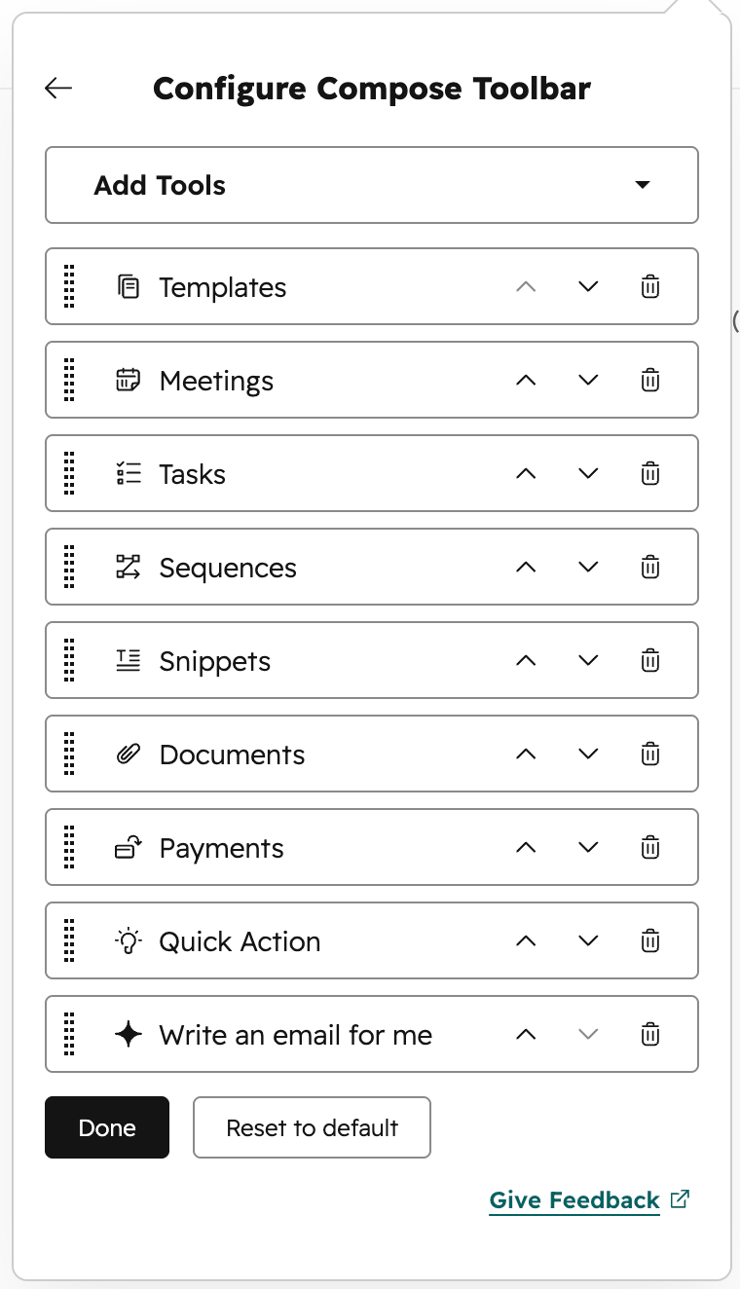
You can easily remove/add the tools you use:
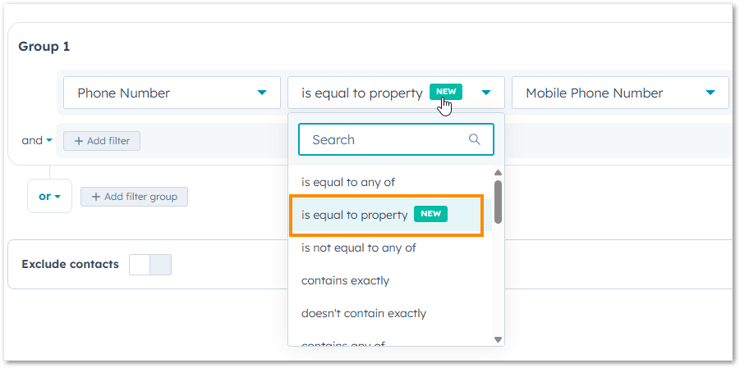
Nice little enhancement to operators available in segment filters:
One of the most requested enhancements to Customer Agent has been the ability to create multiple customer agents in a portal.
Recently HubSpot rolled out muli-brand support, which is a step in the right direction, but sadly misses the mark (it requires brand add-ons).
Simple use cases we want to provide to clients:
You can have your say in this Community thread.
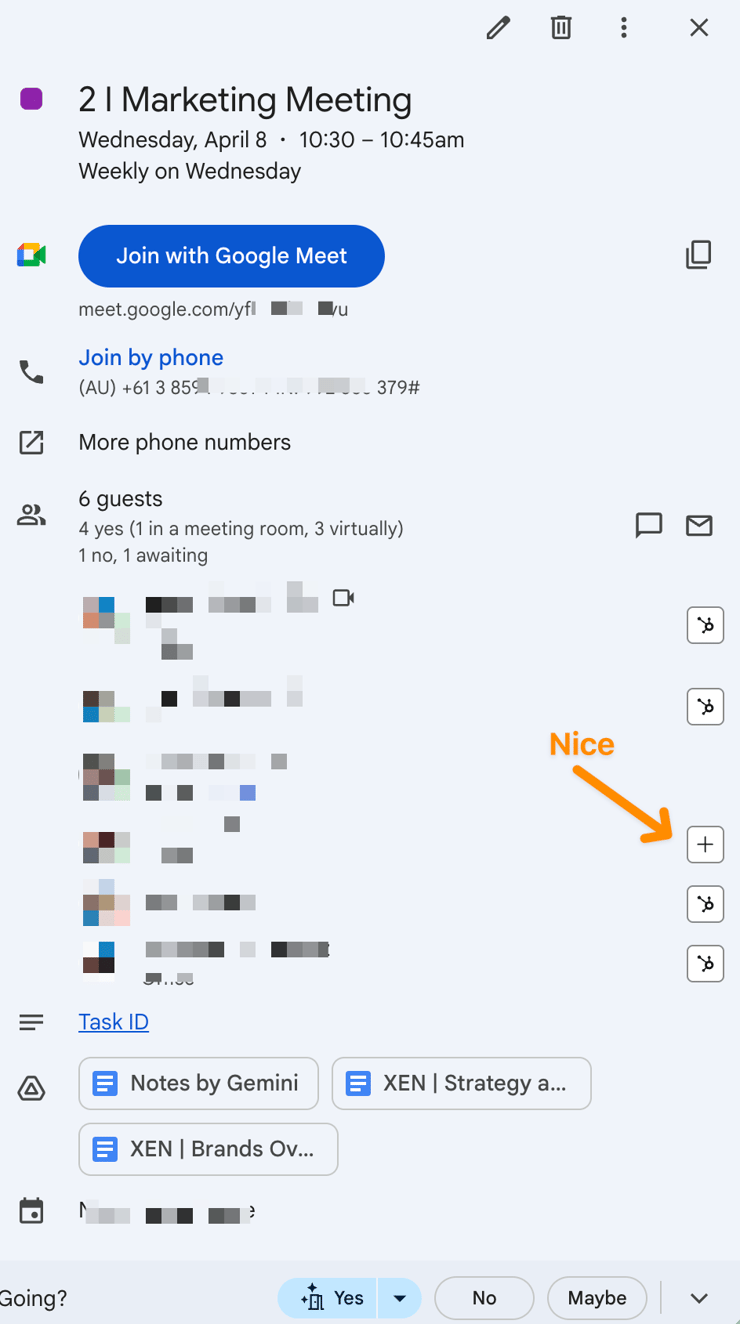
A nice little tweak to the Meeting experience in Google Calendar - you can quickly add meeting invitees into HubSpot:
The importance of setting the prompts correctly.
Who is ‘realistically’ going to use this?
We’ve been playing with this in our own portals and with clients, but it’s too early to give details on the results. More on this in future shows.
There’s a beta (possibly live now) that allows using custom fonts in marketing emails.
For most of our clients this isn’t a concern, but for a few who are very specific about branding in emails, this is a very welcome update. Companies who value the visual accuracy (eg designers, jewelry, fashion, restaurants, etc) love this.
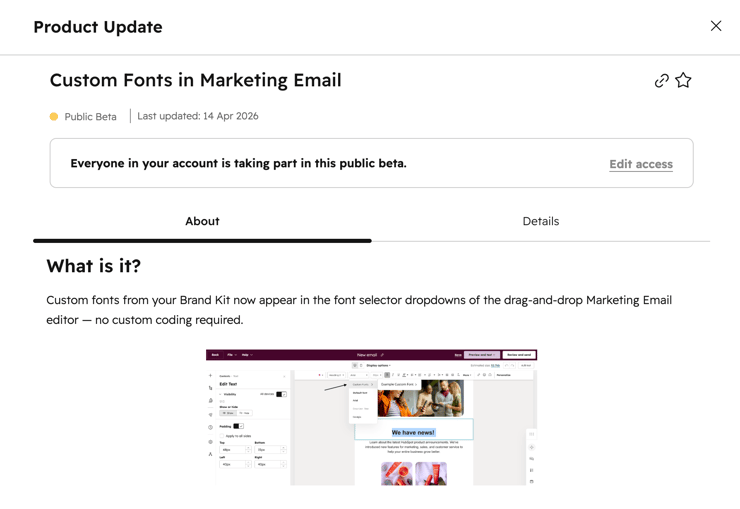
One of our clients used images for all their headings, purely to keep company branding. This is a big win for them.
Can be used in sales and marketing.
Using SMS is another way to help with data quality.
When sending a sequence or marketing email, if you get a bounce back, send an SMS asking for an updated email.
It will come back to your personal mobile (unless it is sent from a number that is integrated into HubSpot), but you can then update it manually in HubSpot.
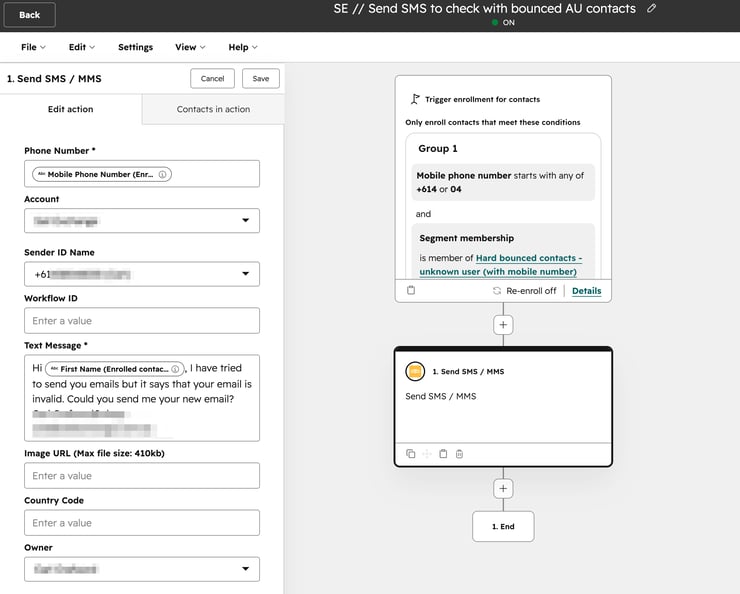
Here is an example of one we send using Sinch:
Hi , I have tried to send you emails but it says that your email is invalid. Could you send me your new email?
Thanks, Ian Jacob
ian+hubshots@searchandbefound.com.au
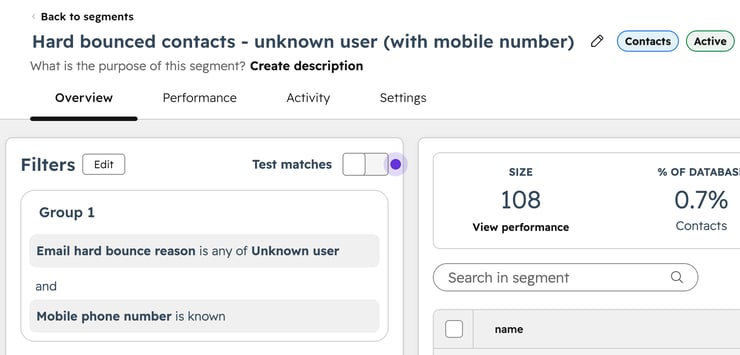
Here is the segment and the workflow:
Start with the segment:
Then use it in this automation/workflow:
You can easily add line items into a deal as part of a workflow:
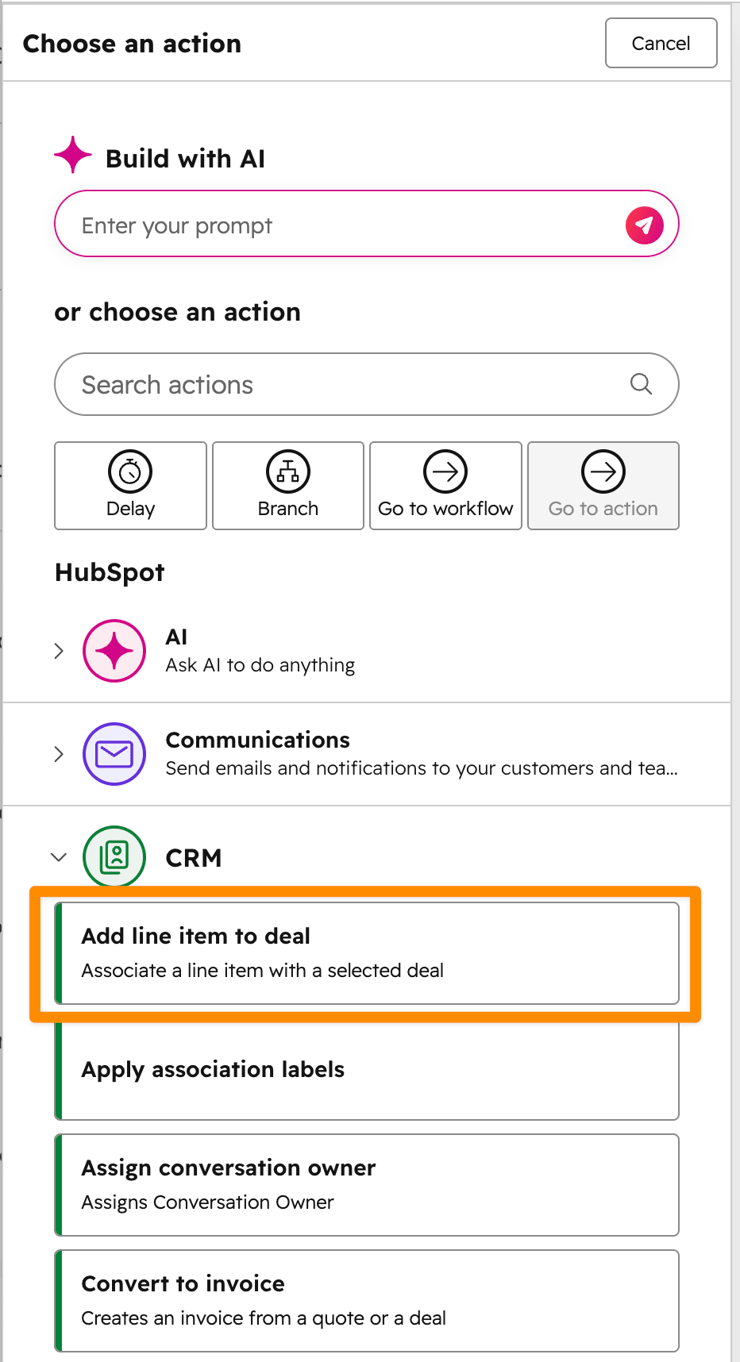
You can choose the enrolled deal, or associated deals. And then choose which product (from your product library) to add:
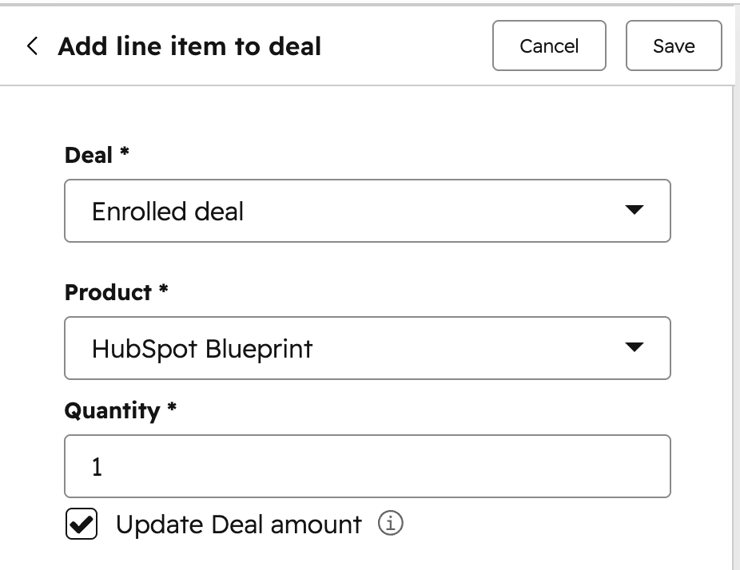
Use case: using properties of a form submit to selectively add line items to a deal.
Note: the Quantity value can be set by a property.
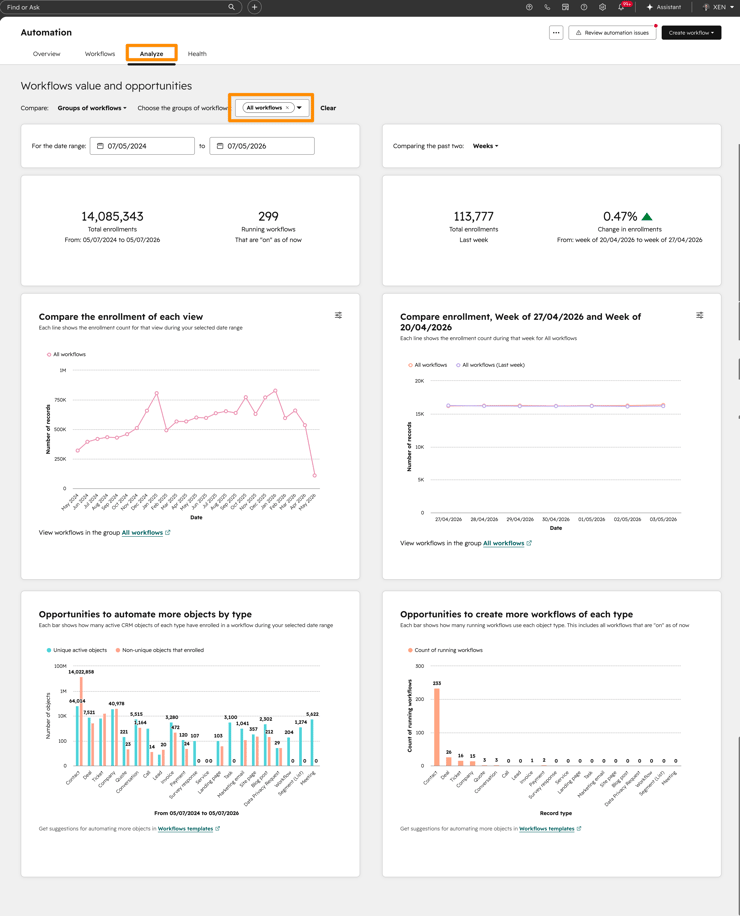
The Analyse tabs on tools (email, forms, workflows, etc) are often overlooked.
But they can be useful for seeing trends across objects.
The workflow (or Automation) tool has an nice Analyse tab for viewing trends (eg enrollments). The one I found the most illuminating in our portal was how we’ve only automated a few objects (contacts, companies, deals, tickets) - see it in the bottom right. There are so many other objects we could potentially automate!
Here’s how it looks:
A handy feature in the Web page and Landing page listing is the ability to bulk update domains on pages:
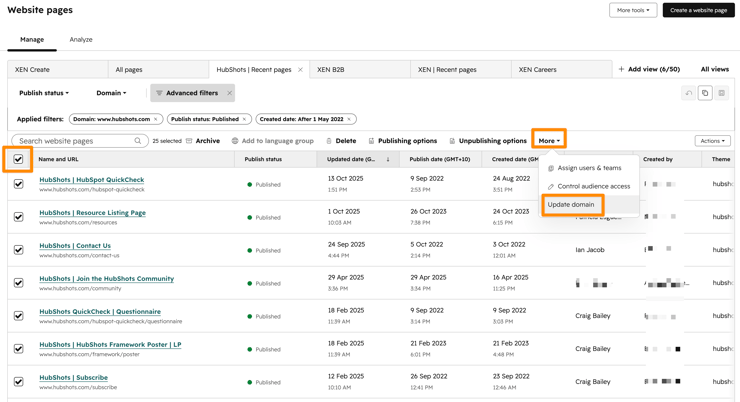
We often use this when pushing a new website live in a portal that is switching over to HubSpot (eg from WordPress). The site has been built in staging or on a subdomain. When it’s time to move them all over to the main domain this can be a huge timesaver.
It is also useful for moving a bunch of pages that are to be archived over to a backup subdomain.
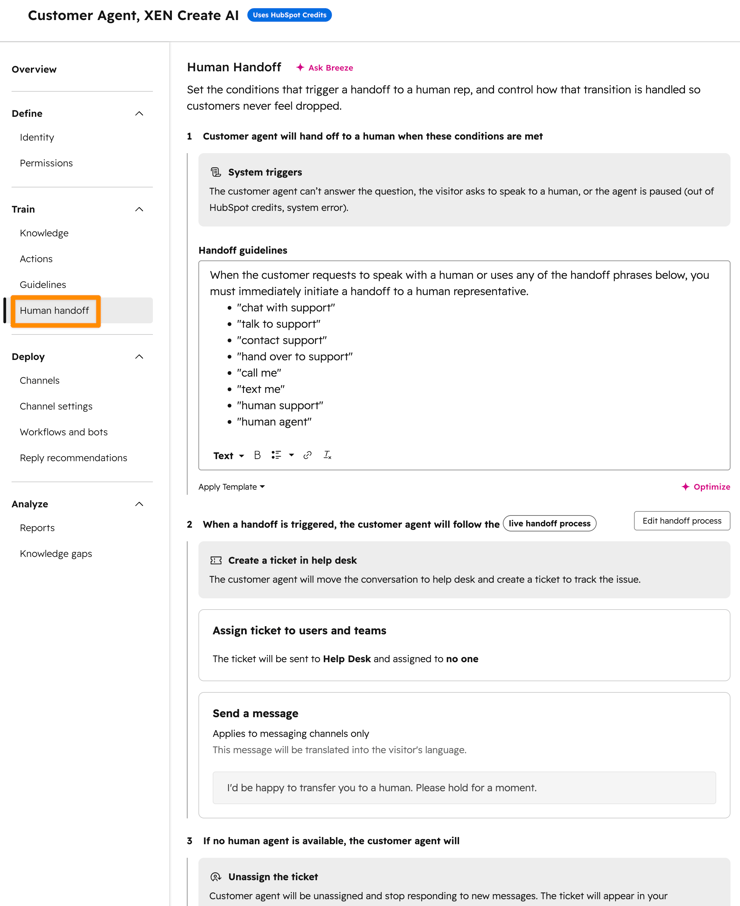
Strictly speaking Customer Agent isn’t tied to Service Hub (you just need a Pro seat in Marketing, Sales or Service).
But since it still sits under the Service menu for now, we’ve included it as a Service Hub tip 🙂
Consider this a reminder to revisit your Customer Agent setup - the handoff process has improved since Customer Agent was first launched.
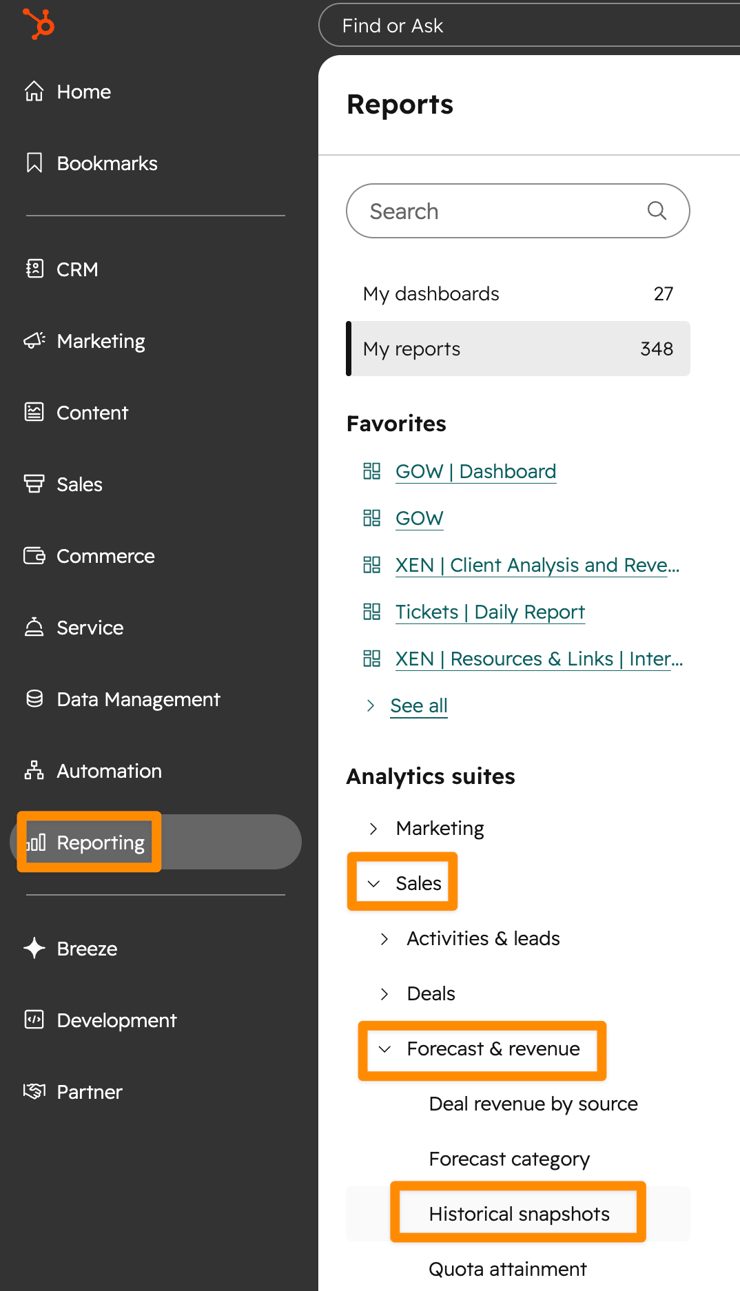
Snapshot reports allow you to analyse Deals over time, but showing the stage they were in at the time - available from the Sales > Forecast section:
Here’s an example (using count of deals, but you can switch out for $ amount easily):
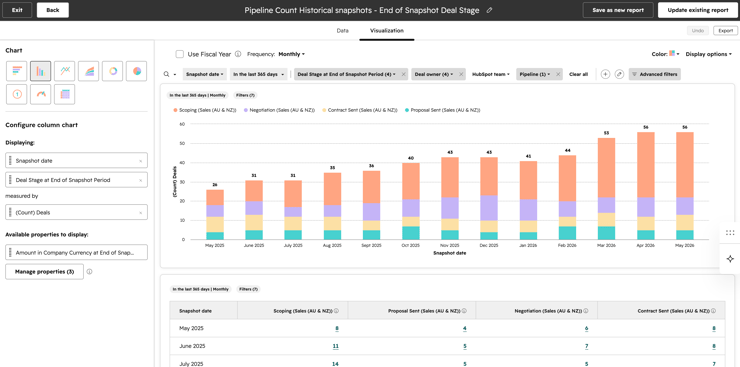
To be clear: this is showing the deals, with a breakdown of the deal stages they were in, in each month, as opposed to the stage they are in now.
There’s a quick reporting video walkthrough here if you are interested in creating one from scratch (as opposed to starting from the Historical Snapshots template).
I’m not anti-AI, but I am anti-Ai feature slop. Half of the AI garnish added to HubSpot feels like - in my opinion - irritating noise.
So, in the show we aim to just focus on the AI parts that are actually useful.
HubSpot’s Assistant has been improving significantly this year. I like to open it in full screen mode:
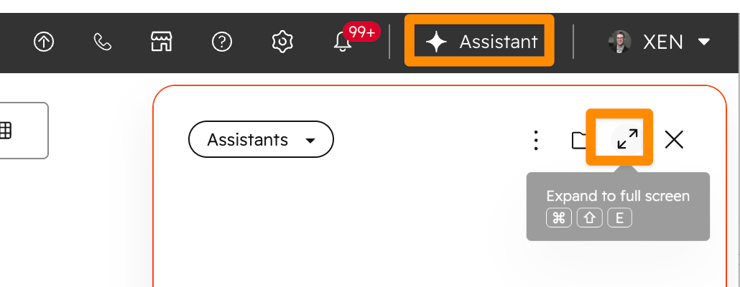
Tip: keep it open in a spare tab and switch to it any time you want to ask a question.
BTW you can ask it anything (not just HubSpot related), it will search and give you a good summary:
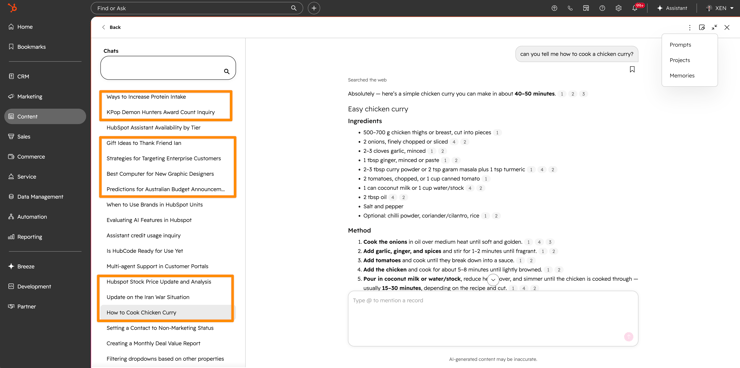
Plus it supports Projects, and you can save specific Prompts.
Doesn't consume credits (yet), and is available in all Tiers.
Chats seem to be private per user (unless sharing Prompts) for now (but I'd assume Admins will be able to access in future).
The new Sales Workspace has removed the ability to switch between users.
(This rolled out on 27 April 2026)
Instead you can set up Views in each tab, that filter based on user. This is manageable, but the legacy switching experience was really nice.
Looks like users didn’t find the Sales Performance tool as useful a fit as originally intended.
Wonderful to meet Rebecca Mills at GROW. A long time listener. So good to meet you in person.
Much has been reported on the SaaSpocalyspe this year, and HubSpot hasn’t escaped the scrutiny. The focus has been on business models (and valuations) and in particular the move to outcome and usage based pricing.
AI is the disruptor of course, mostly due to the potential for agents to connect and update items (reducing the need for people using paid platform seats).
(Note: the breathless vibe coding discussions are probably more of a distraction than a real threat, especially in mid-large operational processes).
The question: how to respond?
If you’re a HubSpot shareholder: good luck
If you’re a HubSpot user: ask yourself: Does HubSpot still help you achieve the business outcomes you need well?
If so, then push ahead. If not, continually review your tech stack. Tech (especially SaaS platforms) are increasingly disposable. You can switch out specific parts, through to entire platforms, with relative ease these days.
We know this, because we’re regularly onboarding companies onto HubSpot from other platforms. Moving off HubSpot is equally possible.
Take away: Build the basics.
I’ve just finished reading Beyond Belief by Nir Eyal.
In the final chapter he covers the whole ‘visualising’ topic. An important insight he highlighted for me: Visualising needs to include both goals and obstacles. Most visualising (see also ‘manifesting’) focuses on just the goal, which essentially just becomes wishful thinking. But by visualising the obstacles you’ll face on the path to your goals, you can take action on them!
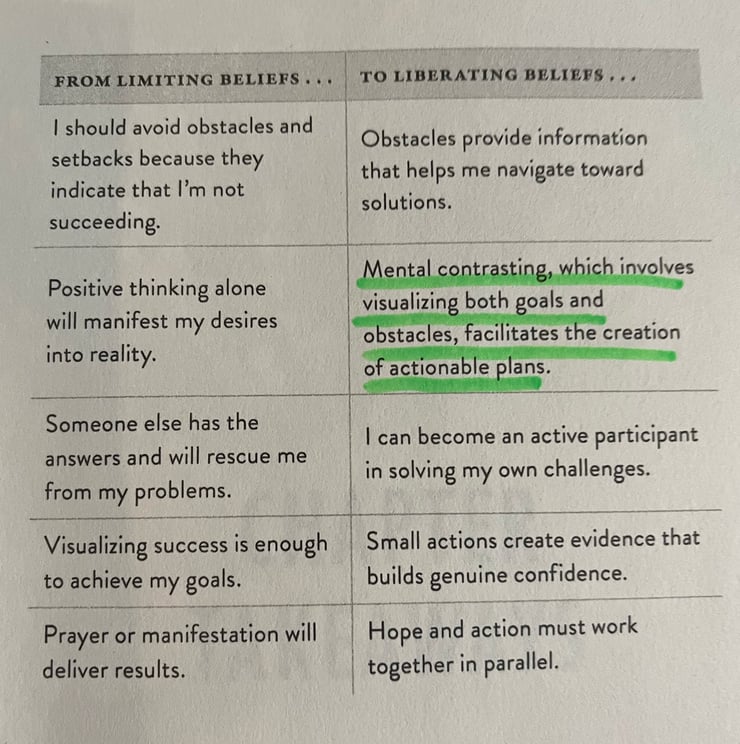
Aside: I liked the book, some helpful insights. Warning: it starts with the ridiculous Dr Curt Richter study of drowning rats from the 1950s, that Nir somehow forces into a resilience trait in humans. As long as you get past that and keep an open mind, there are some useful ideas to consider.
Claude Design launched a few weeks ago.
The XEN Create team have been playing with it and wrote up an overview.
Would a quick HubSpot related tip in your inbox every day be useful? If so, sign up here.
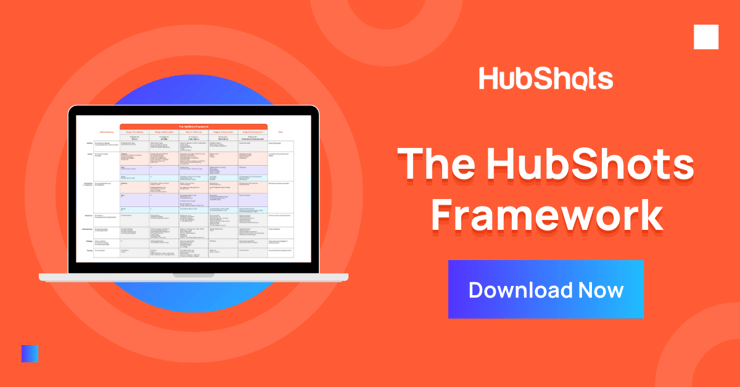
Download a copy of the HubShots Framework A3 PDF poster (recently updated with colour coding and more).
Connect with HubShots here:
Connect with Ian Jacob on LinkedIn and Craig Bailey on LinkedIn plus check out his personal YouTube channel.
HubShots, the podcast for marketing managers and sales professionals who use HubSpot, hosted by Ian Jacob from Search & Be Found and Craig Bailey from XEN and XEN Create.
HubShots is produced by Christopher Mottram from Podcastily.
We record using Riverside.fm (<= affiliate link)
Please share this with colleagues - it helps us improve and reach more marketers.
In this edition we dive into, INBOUND 2025 Reflections, HubSpot’s Loop Marketing Playbook, what is it, and why, and more!
This episode we dive into how to prepare for an upcoming HubSpot Subscription renewal, the Six Step process for reviewing your portal and more!
In this edition we dinve into the new Sales Workspace, Breeze Prospecting Agent, Conversation-Powered Deal Risk Detection and more!