 HubShots
HubShots Episode 315: HubSpot Updates that Matter
In this episode, we dive into the overwhelm problem with so many HubSpot updates, our top HubSpot updates this year, and more!


This edition we dive into:
This episode is ideal for:
How to consume HubShots:
Did a colleague forward this episode to you? Sign up here to get yours every Friday.
Recommended Resources:
Listen to Spotify:
Watch on YouTube:
Recorded: Friday 04 September 2026 | Published: Friday 11 September 2026
There seems to be a divide happening with how HubSpot users are using AI:
There are advantages to each, and they can be complementary. However, with all the breathless noise on LinkedIn and other social, you’d be forgiven for thinking that external access via Claude is the only way to go. Using AI within the platform is not getting much love.
I want to challenge that thinking (see Shot 9), and suggest making sure you are aware of what Assistant and workflow agents are capable of, before you head for the Claude experience.
An adjacent real-world example:
HubSpot's relentless promotion of agentic AI and its positioning as an ‘AI-enabled CRM’ seems to overshadow education about the basics. Sometimes I feel HubSpot just takes their playbook from whatever Salesforce is doing and follows suit.
Some Partners and the discussion ecosystem jump on, amplifying MCP, ChatGPT, and Claude connector content while rarely covering what HubSpot can do on its own.
One of the services we offer businesses who are overwhelmed with HubSpot update velocity is our XEN - HubSpot Updates that Matter / Search & Be Found - HubSpot Updates that Matter offering.
It costs $2,000 AUD (+ any applicable taxes). You can view details, and an anonymised example slide deck on our site here.
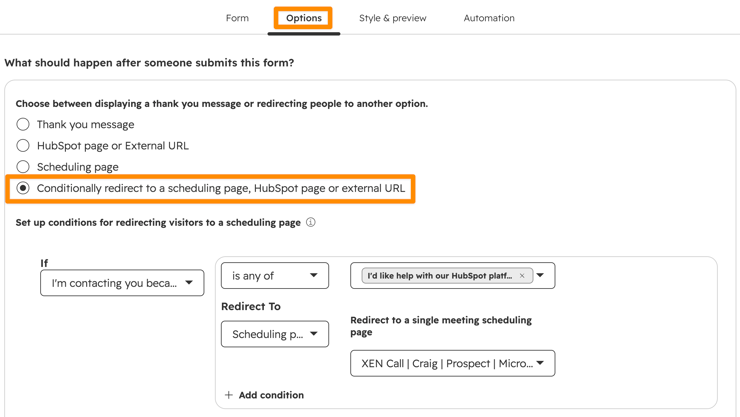
This is increasingly popular with sales teams on high-intent pages. After a form submit, based on their response in a form field you can redirect them straight to a meeting booking form:
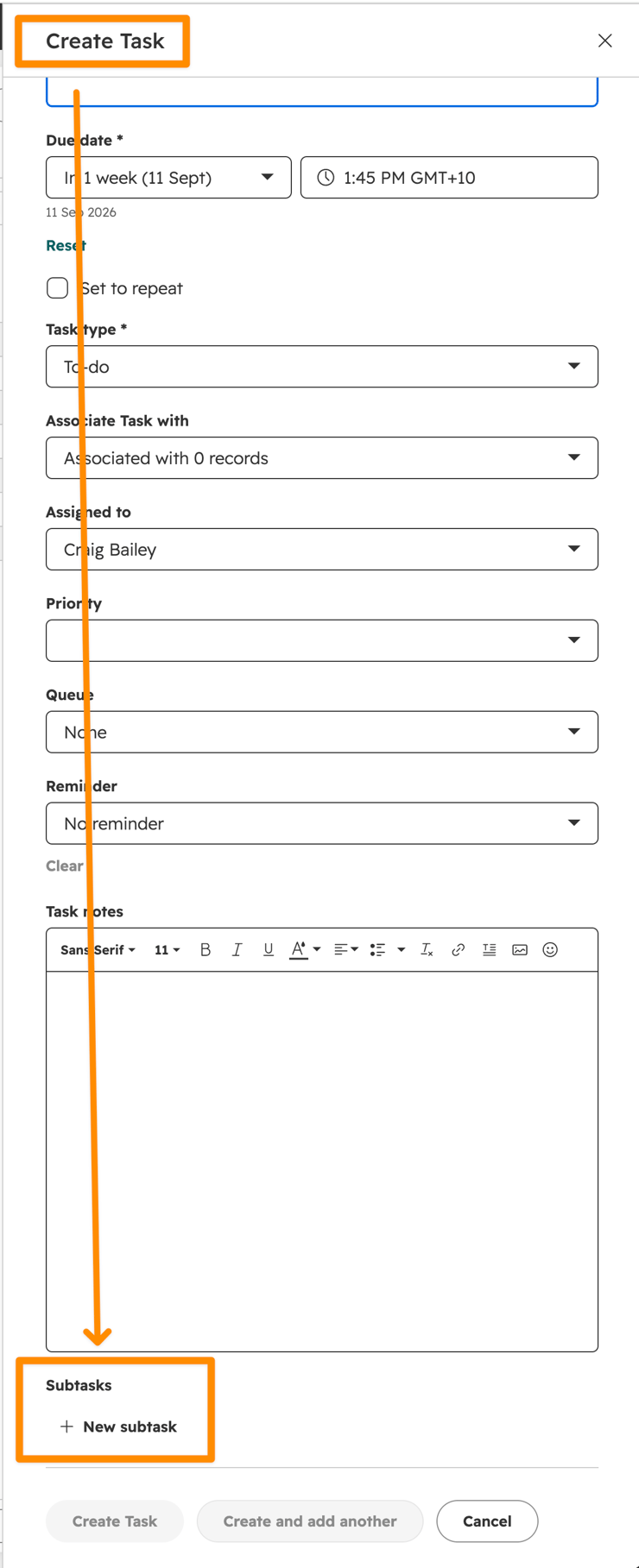
You can now create subtasks on tasks.
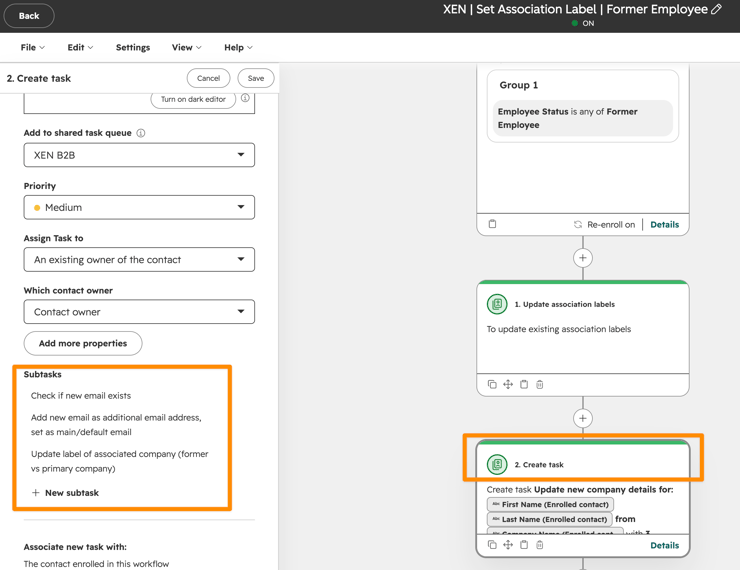
You can create them in workflows as well:
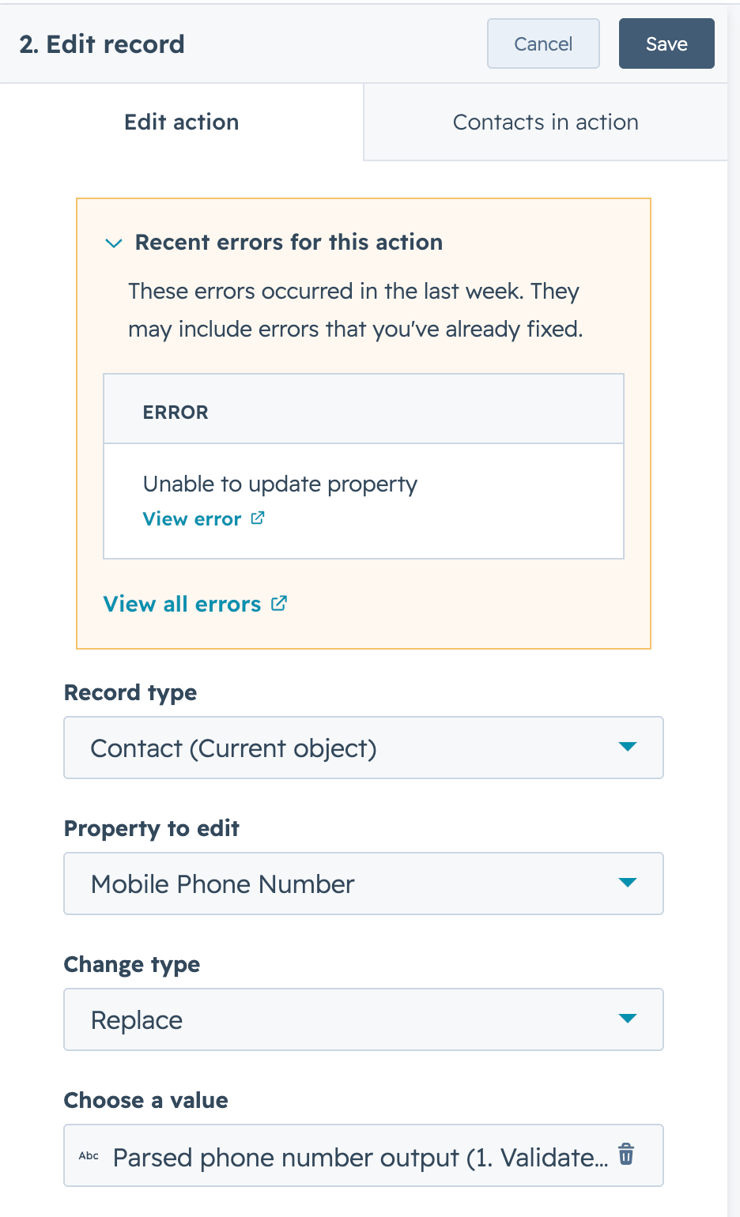
There's a nice Workflow Action called 'Validate and format phone number'
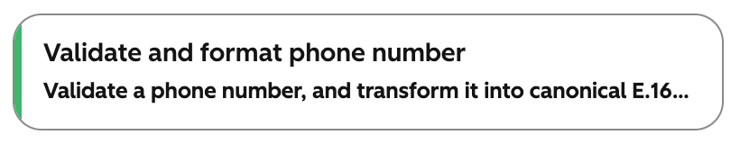
It ensures that phone numbers and mobile numbers are formatted consistently (eg adding the +61 if you are in Australia, or +33 in France, or +55 in Brazil, etc)
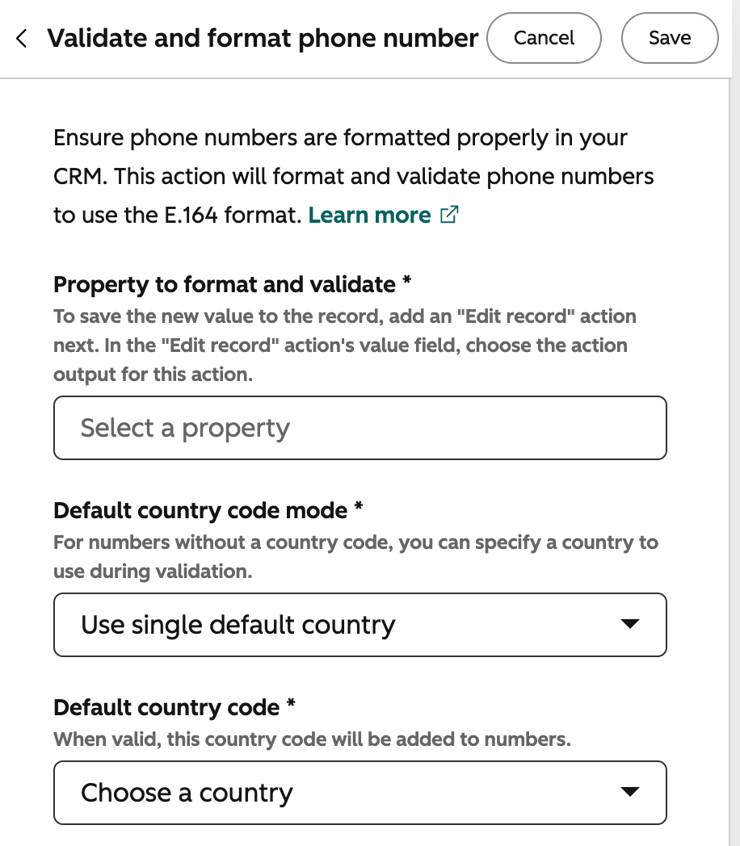
The action provides an output that you can then use in a subsequent action (usually an Edit record action).
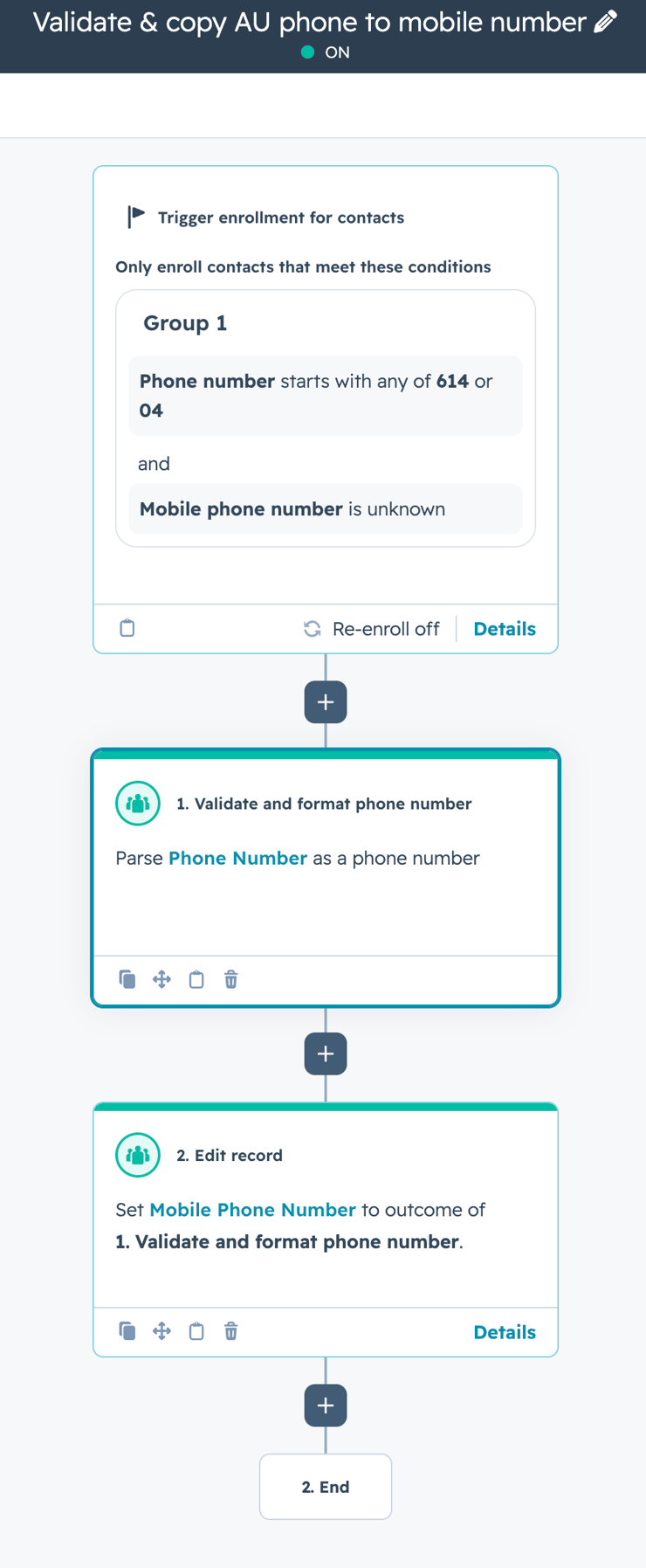
The action is usually applied per country (and you'd likely have a workflow for each for your main countries for the most granular control).
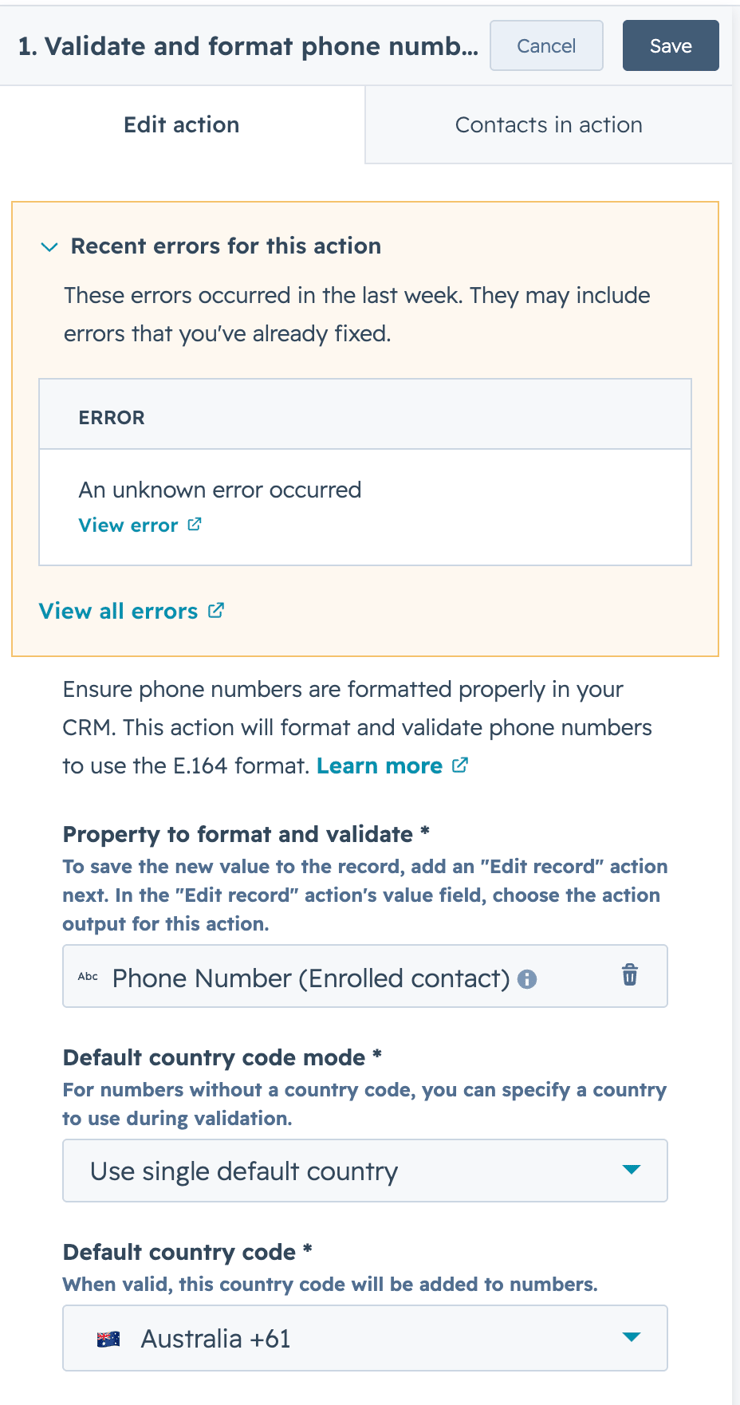
After running, it will also keep a log of errors, which you can then manually review (usually the errors are because the initial number was incorrect, a missing digit is the common culprit).
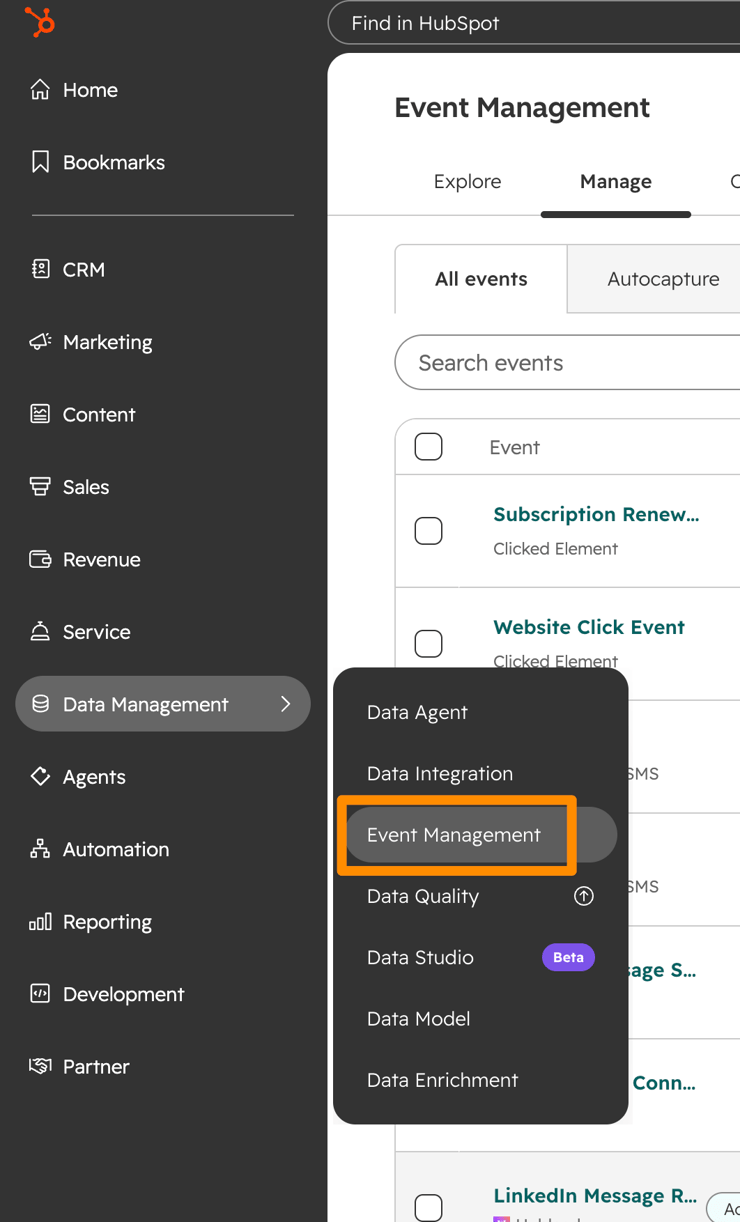
HubSpot has built-in event capture functionality.
It is ‘hidden’ away under the Data menu:
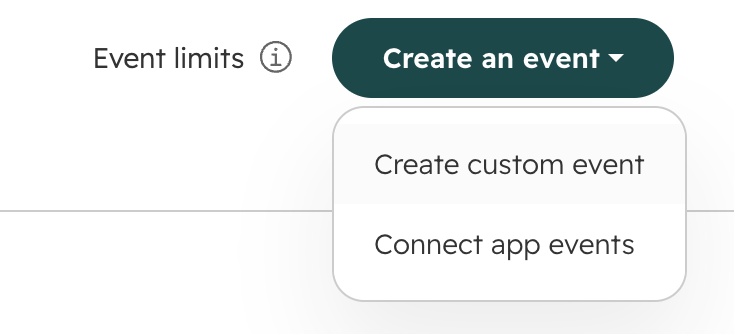
One of the nice features is custom events.
From the top right choose the ‘Create custom event’ option:
And then run the visualizer. It will guide you through selecting an element on a page (can be a button, link, image etc):
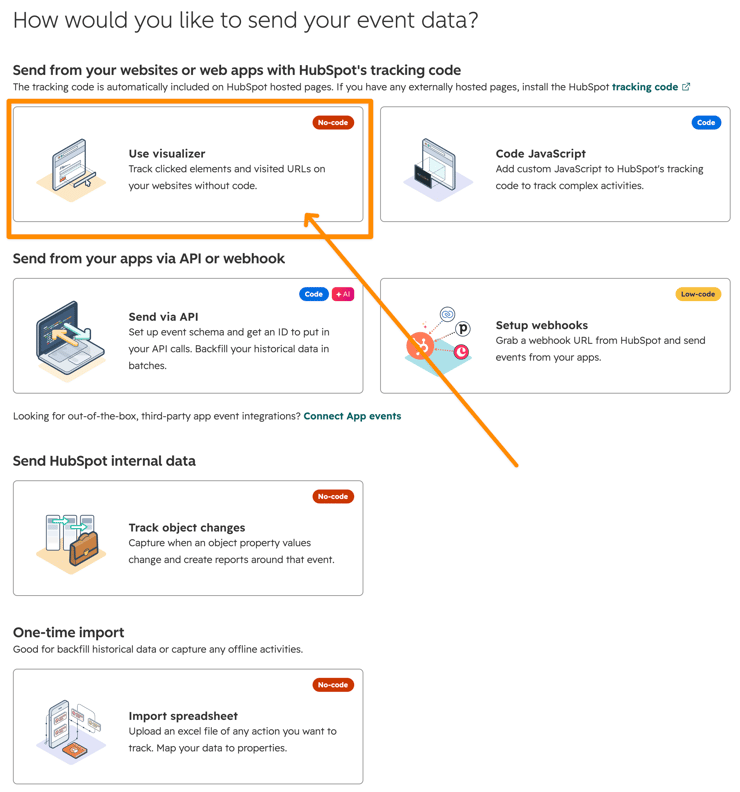
It takes care of everything. No need for additional Javascript or coding.
You get a ton of events included (eg 30M per month in our portal):
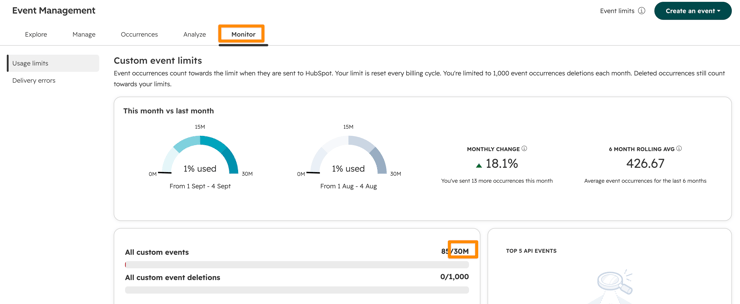
If you send a message from an email that is a help desk channel within HubSpot (like from a contact or deal record), a support ticket will be created automatically.
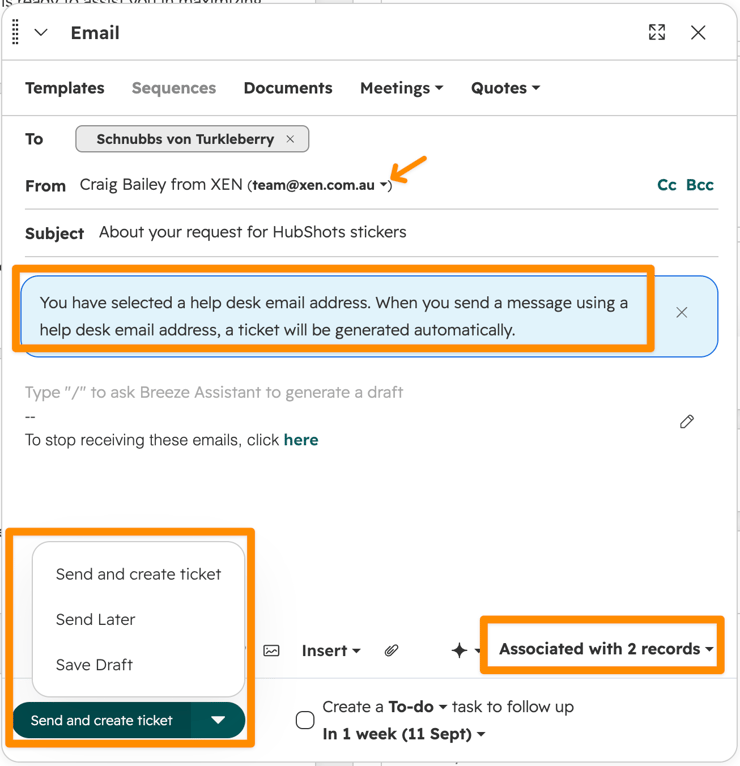
You can now stop forwarding emails to a team inbox just to create a support ticket. Simply reply directly from HubSpot, and it will automatically generate the ticket for you. This saves you clicks and streamlines your process.
A few important notes:
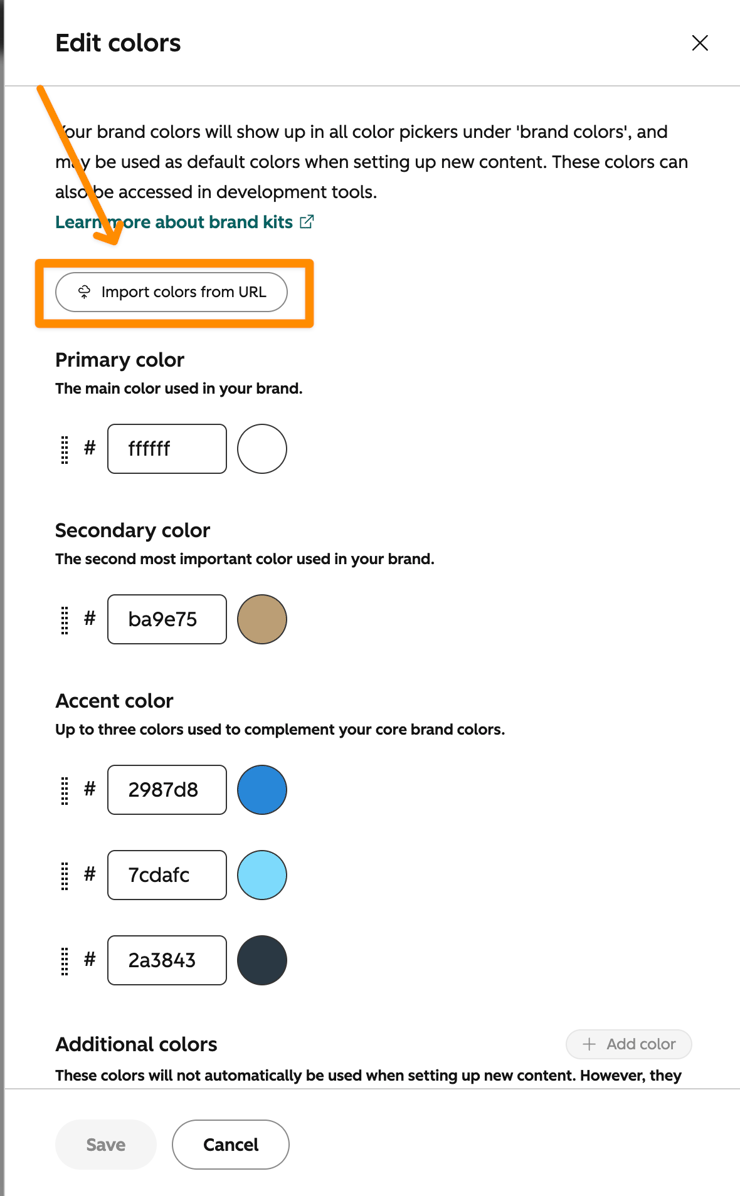
One of the handy timesaving tools in the Brand Kit is the simple way you can import the colours from your website.
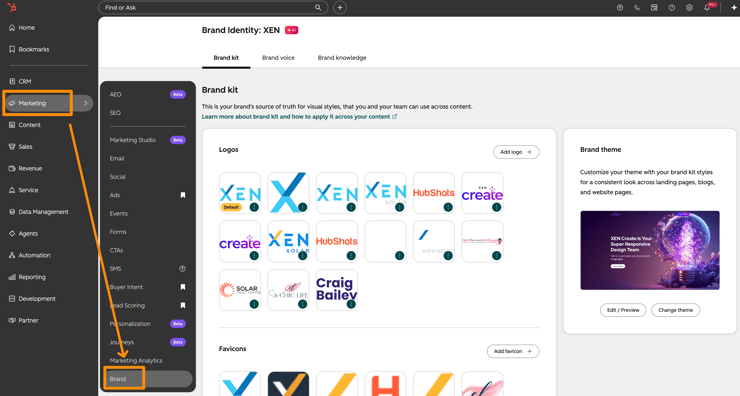
Go into Brand (from the Marketing Menu)
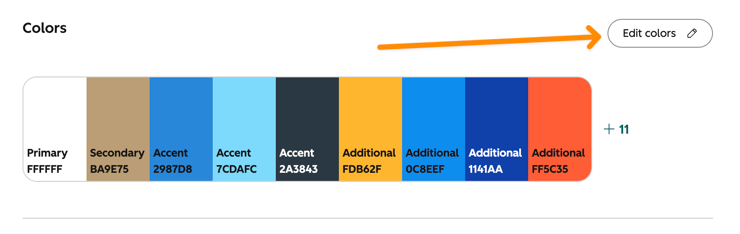
Scroll down to the Colours section. Click to Edit Colours.
Then use the Import button.
Or is it Breeze Assistant? (It’s not Copilot)
I keep saying HubSpot Assistant is the best AI tool in the platform, but hardly anyone (when we’re chatting with them) uses it anywhere near what it deserves.
And it’s currently free.
I use it every day to organise, summarise, learn, and implement. And we train clients on it in almost every call.
It’s really, really good.
A few examples recently:
Here’s how simple the prompt can be: ‘please review all the meetings with [client name] and her team over the past weeks. pull together a comprehensive brief of all the main requirements, the desired outcomes, and next action items for each department. Prepare a full proposal for the implementation phases to be performed and the priorities for each’
HubSpot Assistant gets you 70% of the way there. For the reverse brief I then spent less than an hour reviewing, cleaning, tweaking and (most importantly) reducing, to get a useful doc prepared.
For the implementation plan, we spent a few hours reviewing, culling and tweaking it, but the heavy lifting had been done by AI, likely saving 5+ hours at a minimum. It had analysed 7 in-depth meetings with the client, across various departments.
While everyone on LinkedIn is breathlessly talking about agentic this and MCP that, excitedly connecting Claude and blindly querying without context, they are often missing the basics. Just getting your meetings recorded, transcribed and analysed automatically in HubSpot is such an easy first step. No shade on all the agentic stuff, but don’t get dazzled with shiny object syndrome and miss the easy unlocks.
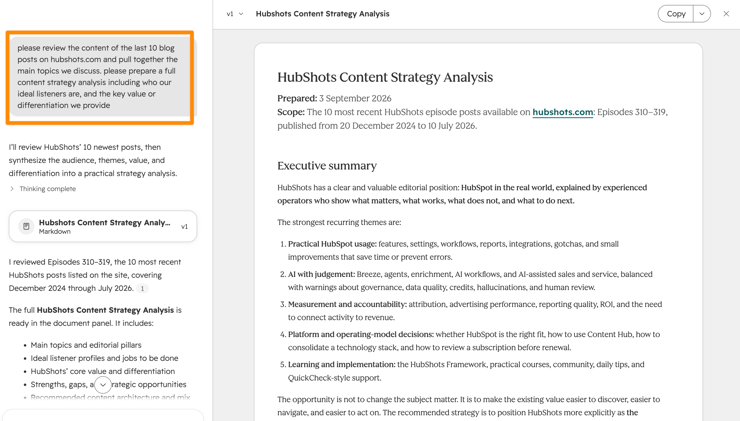
Are you a new Marketing Manager at a company that manages their website in HubSpot?
Try this prompt across your content:
‘please review the content of the last 10 blog posts on [yourdomain.com] and pull together the main topics we discuss. please prepare a full content strategy analysis including who our ideal listeners are, and the key value or differentiation we provide’
Part of streamlining your business is consolidating your tech stack.
One of the easiest processes to streamline is your meetings, putting it all in HubSpot:
Unless you have very specific requirements that aren’t available in HubSpot, this is one of the highest impact processes you can implement.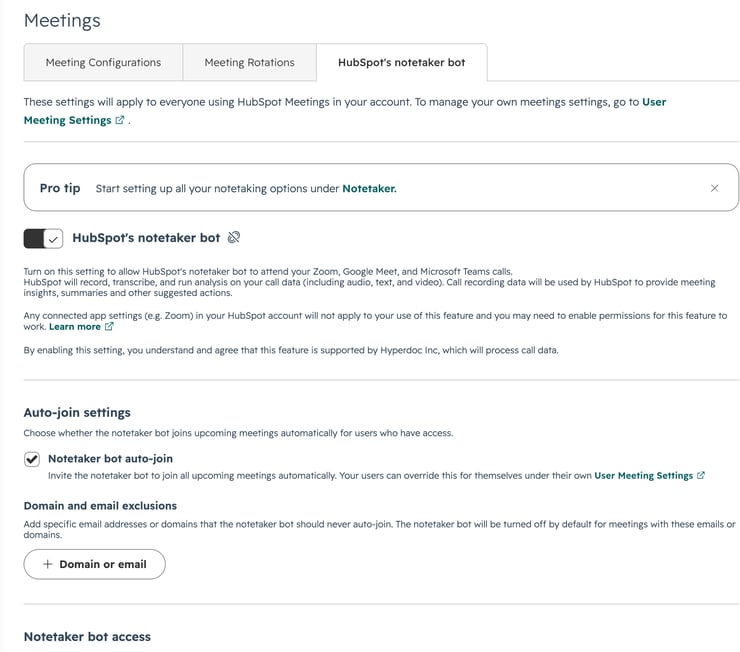
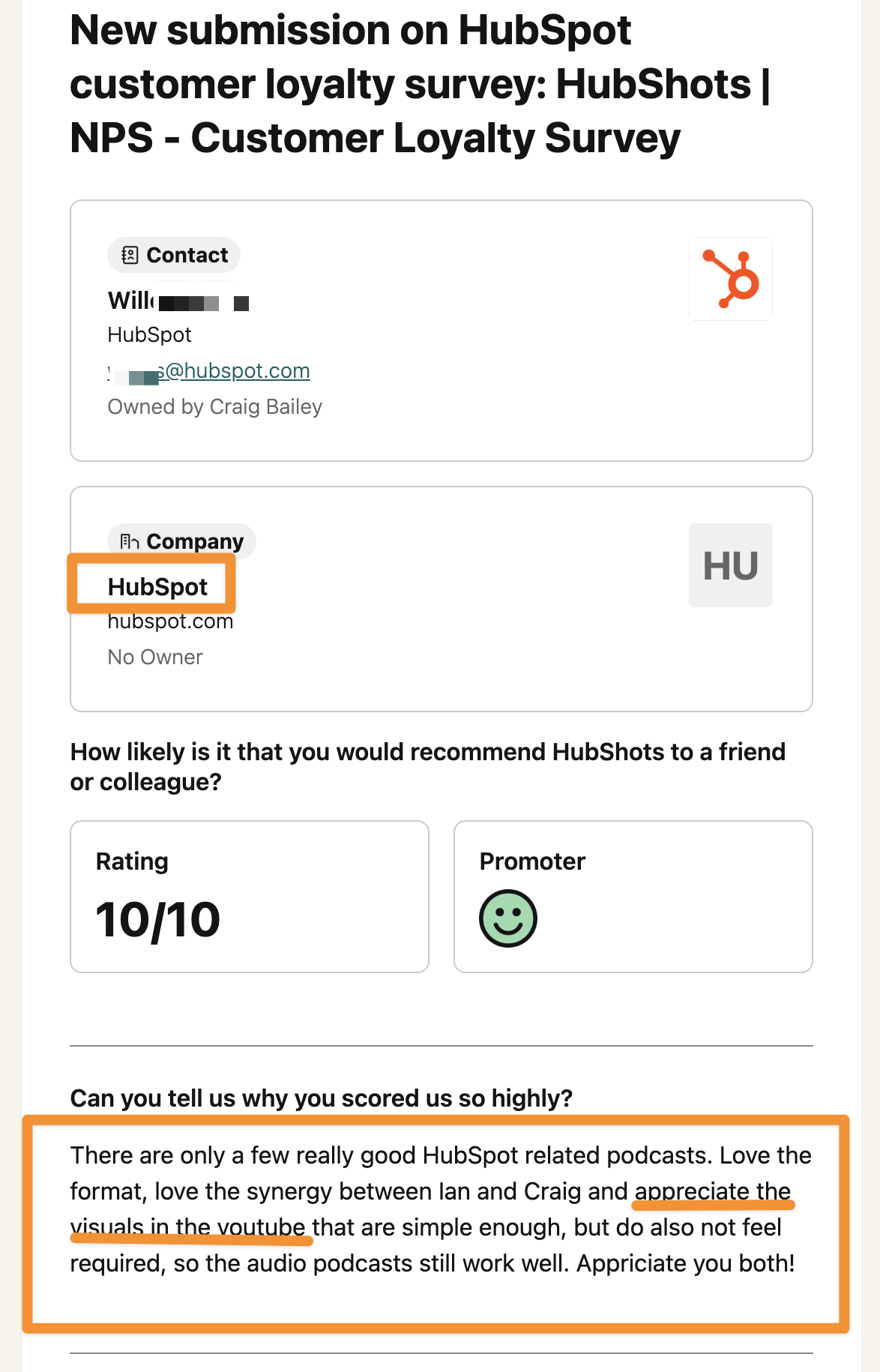
“There are only a few really good HubSpot related podcasts. Love the format, love the synergy between Ian and Craig and appreciate the visuals in the youtube that are simple enough, but do also not feel required, so the audio podcasts still work well. Appreciate you both!”
Fresh data shows that approximately 68% of Google searches end without a click, AI Mode sessions are approximately 93% zero-click.
Rand Fishkin's analysis shows fewer than a third of searches send a click anywhere.
But, AI-referred visitors convert at roughly 2x organic.
Tip: measure AI referral traffic in your sources report, invest in being cited (AEO).
The value of looking at old things in a new way:
‘A change in perspective is worth 80 IQ points.’
~ Alan Kay - Computer scientist
In this Substack article we walkthrough how to create a Client Revenue by Year pivot table based on Deals:
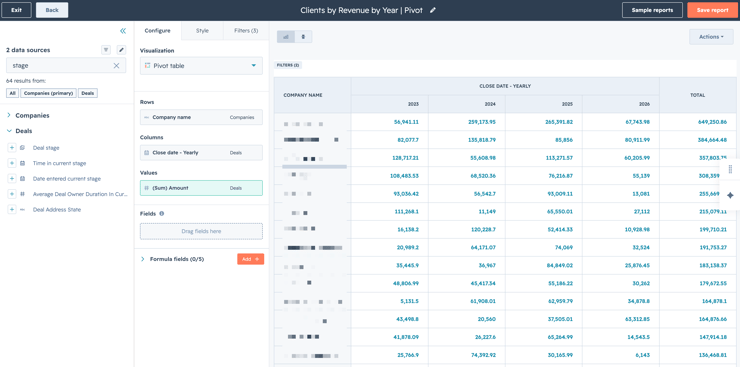
Or watch the walkthrough on YouTube here.
Would a quick HubSpot related tip in your inbox every day be useful? If so, sign up here.
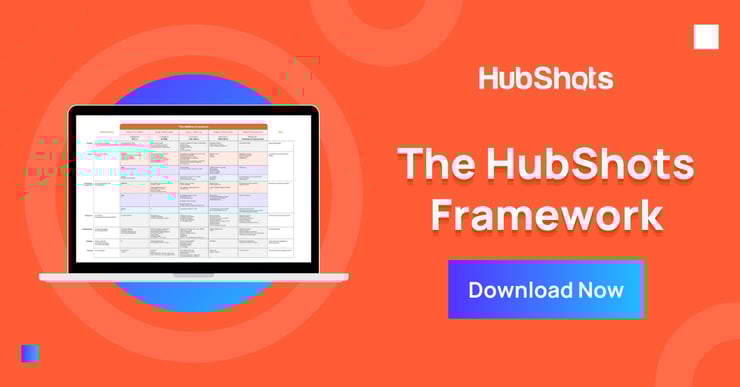
Download a copy of the HubShots Framework.
Connect with HubShots here:
Connect with Ian Jacob on LinkedIn and Craig Bailey on LinkedIn plus check out his personal YouTube channel.
HubShots, the podcast for marketing managers and sales professionals who use HubSpot, hosted by Ian Jacob from Search & Be Found and Craig Bailey from XEN and XEN Create.
HubShots is produced by Christopher Mottram from Podcastily.
Please share this with colleagues - it helps us improve and reach more marketers.
In this episode, we dive into the overwhelm problem with so many HubSpot updates, our top HubSpot updates this year, and more!
This episode we chat about a bunch of incremental HubSpot and marketing updates. And then discuss how incremental updates over time amount to massive...
This episode we dive into the move to consolidation of tech stacks, quick HubSpot improvements to GSuite add-in, custom fonts in marketing emails and...